
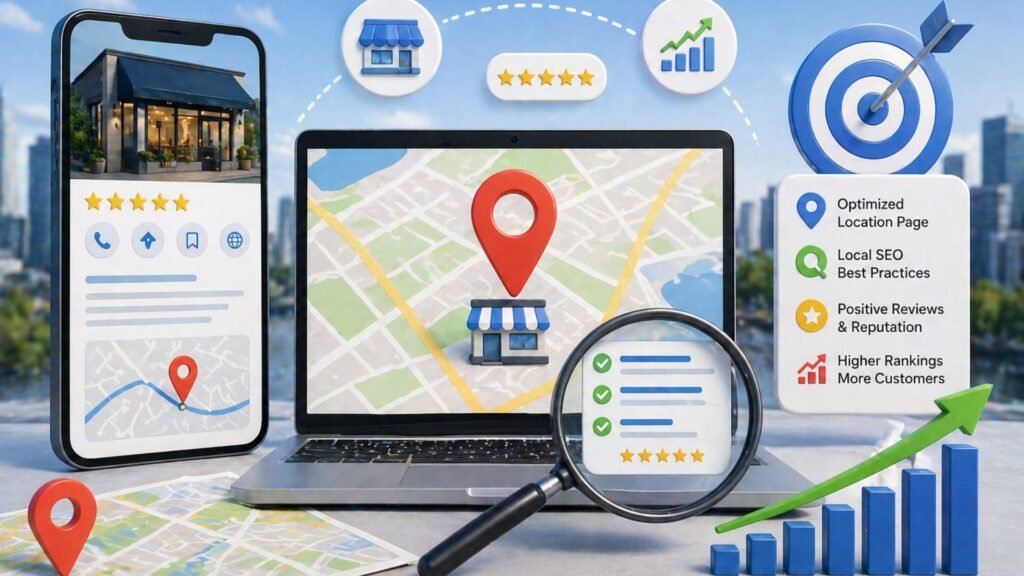
If your construction business operates out of more than one location, you already know the headache that comes with it. Each branch needs its own presence, its own visibility, and its own ability to attract homeowners nearby. But most contractors either ignore this entirely or copy and paste the same page across every branch and wonder why nothing ranks.
That approach does not work. Search engines are smarter than that, and so are your potential customers.
This guide walks you through how to optimize location pages for your construction business branches so each branch can compete and win in local search results.
Why Location Pages Matter for Construction Businesses With Multiple Branches
When someone searches for a remodeling contractor near them, search engines do not just pull up your homepage. They look for signals that confirm your business actually serves that area. A well-built location page sends those signals to search engines clearly and consistently.
Think of each location page as its own landing page, one that speaks directly to homeowners in a specific area. Without it, your branch might as well be invisible online.
Understanding why local SEO is crucial for contractors is the first step. Local search engine optimization is not just about keywords. It is about relevance, trust, and making sure your business shows up when a homeowner is ready to hire someone.
The Core Problem: Duplicate Content Kills Multi-Location Rankings
Here is where most construction businesses with multiple branches go wrong. They create a page for one branch, then duplicate it for every other location by simply swapping out the city name. Google sees this as duplicate content and either ignores the extra pages or struggles to determine which one should rank.
Duplicate content confuses search engines. They cannot determine which page to rank, so they often avoid ranking any of them well. This is one of the biggest mistakes in local SEO for multi-location businesses.
Every location page needs to be genuinely unique. That means different content, different imagery, different testimonials, and ideally, different keyword targets.
What Makes an Effective Location Page for a Construction Branch
Start With Location-Specific Content
Creating location-specific pages does not mean writing one sentence that mentions the branch name. It means building out a full page that reflects the work your branch actually does, the neighborhoods it serves, and the homeowners it helps.
Effective location pages include:
- A clear description of the services offered at that specific location
- Mention of the service area your branch covers
- Local testimonials or reviews from customers in that area
- Photos of actual projects completed nearby
- A unique introduction that speaks to the local community
This is what location-specific content actually means in practice. You are giving search engines and customers real, relevant information about that specific business location.
Use Location-Specific Keywords Without Overdoing It
Each page should target keyword phrases that match what homeowners in that area are actually searching. These could be phrases like “kitchen remodeling contractor” combined with the branch’s service area, or natural variations of “bathroom renovation near me.”
Do keyword research for each branch separately. Search queries vary by area, and what works for one location may not reflect how people search in another. Use tools like Google Search Console and analytics platforms to understand what search queries are driving traffic and adjust accordingly.
Avoid stuffing every sentence with keywords. Search engine optimization has evolved, and natural-sounding content always outperforms keyword-heavy pages that read like a list.
Build a Dedicated Page, Not a Section
Each branch deserves its own standalone page, not just a section buried on a contact page.
This means a unique URL, unique page content, a unique title tag and meta description (meta tags), and a clear connection to that branch’s Google Business Profile.
Learn more about the benefits of landing pages for construction businesses to understand why having a dedicated page for each branch dramatically improves your ability to rank and convert visitors into leads.
Google Business Profile: Your Most Powerful Local Search Tool
For every branch your construction business operates, you need a separate Google Business Profile. This is non-negotiable. A GBP listing is what powers your appearance in Google Maps, the local pack, and local search results.
When you create a Google Business Profile for each branch, make sure the business name, phone number, website, address, and business hours are all accurate and consistent.
Inconsistent business information across listings confuses both search engines and customers.
Optimizing your Google Business Profile goes far beyond just filling in the basics. You should be actively posting updates, uploading project photos, responding to reviews, and keeping your listing current. Learn how to attract more visitors to your Google Business Profile to make the most of this tool.
Reviews also play a significant role. How Google reviews impact your SEO rankings is something every construction business owner should understand, especially when you are managing reputation across multiple branches.
Keep NAP Consistent Across Every Location
NAP stands for Name, Address, and Phone Number. This is the foundation of local citations.
Every place your business information appears online – whether it is on your website, in local directories, on Google My Business, or in business listings – should show the exact same details for each branch.
Inconsistent NAP data is one of the most common reasons businesses struggle with local search rankings. When one listing shows a different phone number or an old address, search engines lose trust in that business location, and your search rankings can drop.
Build local citations by getting your branch listed on reputable local business listings, contractor directories, and industry-specific platforms. Each citation acts as a vote of confidence that this branch exists where it says it does.
SEO Strategies for Managing Multiple Locations Without Losing Your Mind
Create a Location Hub on Your Website
Rather than scattering branch pages randomly across your site, create a central hub page each location page. This makes it easier for search engines to crawl and index every location page. It also gives users a clean way to navigate to the branch closest to them.
This structure also helps distribute link equity, meaning that backlinks pointing to your main site can pass value down to individual location pages, improving the overall ranking potential for every location.
Build Backlinks Locally for Each Branch
Backlinks from locally relevant websites are powerful ranking signals for multi-location businesses. For each branch, try to earn links from local business associations, community organizations, and industry-specific sites that reference your work in that area.
This kind of local link building takes time, but it builds credibility and relevance that generic backlinks cannot replicate. Search engines treat these as strong signals that your branch is a legitimate, active part of that specific local business community.
Internal Linking Between Your Location Pages
Once you have unique location pages built out, link them strategically. A user reading about your services on one branch page might be interested to know you have a nearby location as well. Internal links also help search engines understand the relationship between your pages and the geographic scope of your business.
Structuring Your Location Page for Maximum Ranking Potential
What Every Location Page Should Include
Think of your location page as a complete landing page. It should give visitors everything they need to understand your services, trust your business, and contact that specific branch. Here is what a well-structured location page should contain:
- A unique headline that reflects that branch’s services and service area
- A brief description of the branch, including its physical location and what makes it unique
- A list of services offered at that location
- Real photos from local projects
- Customer testimonials or reviews specific to that branch
- A clear call to action with the branch’s contact details
- An embedded Google Maps listing for that location
This structure not only helps with local search but also improves the user experience, which search engines reward through better engagement signals.
Optimize for Mobile and Page Speed
Most homeowners searching for contractors are doing it on a mobile device. If your location page loads slowly or does not display well on a phone screen, you are losing leads before they even read a word. Search engine results heavily favor fast, mobile-friendly pages.
Use tools like Google Analytics to monitor page behavior and identify pages where visitors are dropping off quickly. A high bounce rate on a location page is a signal that something needs to improve, whether it is load speed, content, or layout.
Meta Tags and Structured Data
Each location page needs its own optimized meta tags (title tag and meta description). This includes a unique title tag, a unique meta description, and if possible, structured data markup that tells search engines the physical location of that branch, its business hours, and its services.
Structured data is one of the clearest signals to search engines that your page represents a specific business location. It improves the chances of your page appearing with rich results in search engine results pages, which increases visibility in local search results.
Tracking Your Local SEO Efforts Across Multiple Branches
Managing local SEO for multiple locations means tracking each branch separately. One branch might be performing well in local search while another is barely showing up. Without branch-level analytics, you cannot tell where to focus your efforts.
Use Google Search Console to monitor which search queries are driving impressions and clicks for each location page. Track your GBP listing performance for each branch – views, direction requests, calls – all of this data tells a story.
Strong local SEO is not a one-time setup. It is an ongoing process of monitoring, adjusting, and improving based on real performance data. Building a strong online presence requires consistency and attention to detail across every branch.
If you want to understand the full picture of what this involves, start with how to build a strong online presence for your local business.
Common Mistakes to Avoid When Creating Location Pages
- Copying the same content across branches. This creates duplicate content issues and hurts your search engine results performance across the board.
- Using a single Google Business Profile for multiple locations. Each branch needs its own GBP. A single listing cannot rank in local search for every location your business operates.
- Ignoring local listing consistency. Inconsistent business information is a ranking killer. Audit every citation regularly to make sure all details match.
- Forgetting to optimize for local search queries. Generic service pages do not rank in local search. Location-specific content is what drives visibility in search results for each branch.
- Neglecting reviews at the branch level. Consumer behavior shows that people trust businesses with strong, recent reviews. Encourage customers to leave reviews on the specific GBP listing for the branch they worked with. This builds brand loyalty and reputation at a local level.
Conclusion
Optimizing location pages for your construction business branches is one of the most effective local SEO strategies you can invest in. Each branch deserves a unique page, a verified Google Business Profile, consistent citation data, and content that actually reflects the work done in that area. When done right, this approach helps every location compete in local search and convert more homeowners into paying clients.
If you are ready to build a system that drives real results across all your branches, Remodel Growth can help you get there. Reach out today.